


Merchants can resolve issues like incorrect tokens, wrong networks, or blocked abnormal payment transactions in the acquiring business via the merchant dashboard by navigating to [Payments] – [Abnormal Payments].
1. What Types of Abnormal Payments Can Be Handled
- Merchant Order Reissue Supported: Orders with wrong network or token, or payment transactions to static addresses on EVM networks that have been deleted.
- Merchant Refund Supported: Blocked transactions due to high-risk payments, or blocked transactions to “deleted fixed addresses.”
- Contact Gate Pay Account Manager for Refund:
- For tokens/networks not supported by Gate Pay but supported by Gate Exchange: A fee equivalent to 20 USDT will be deducted from the on-chain confirmed assets, and the remaining assets will be refunded.
- If the token is not supported by Gate Exchange either, in principle, we do not process or refund. However, if the total value of the paid tokens exceeds 100 USDT and is confirmed to be a safe token, the user can first pay a 20 USDT fee to Gate, after which we will assist in a full refund to the user.
2. Refund & Order Reissue Rules
Refund
- Currently, only blocked abnormal transactions support refunds, and no handling fee is charged.
- After submitting a refund request, you must contact your Gate Pay account manager for review.
Order Reissue
- After a successful order reissue, a new valid order is generated. The new order amount is credited directly to the merchant’s balance, and a new transaction record is created.
- The status of the original abnormal order remains unchanged and can still be queried.
3. How to Process Refunds & Order Reissues
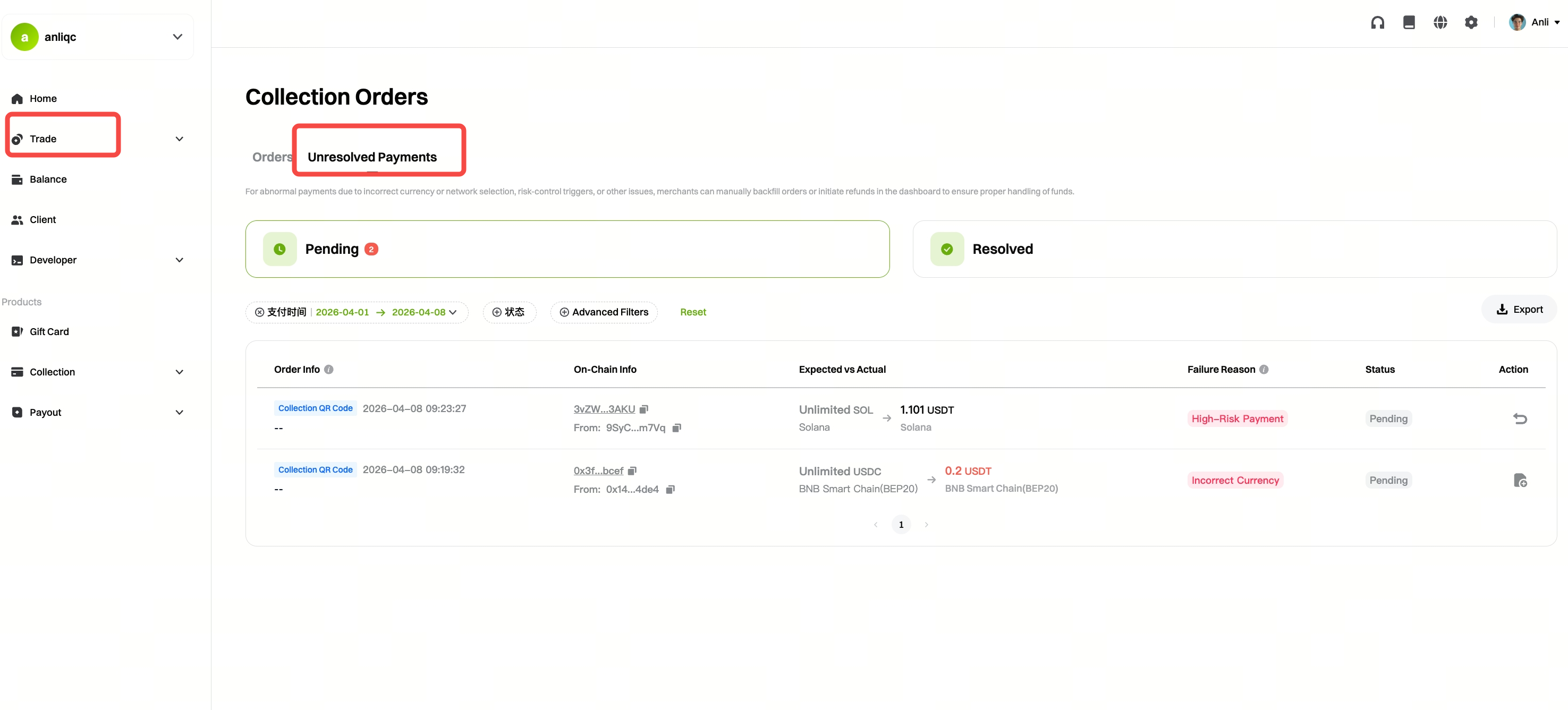
Step 1: Log in to the merchant dashboard – [Payments] – [Unresolved Payments]
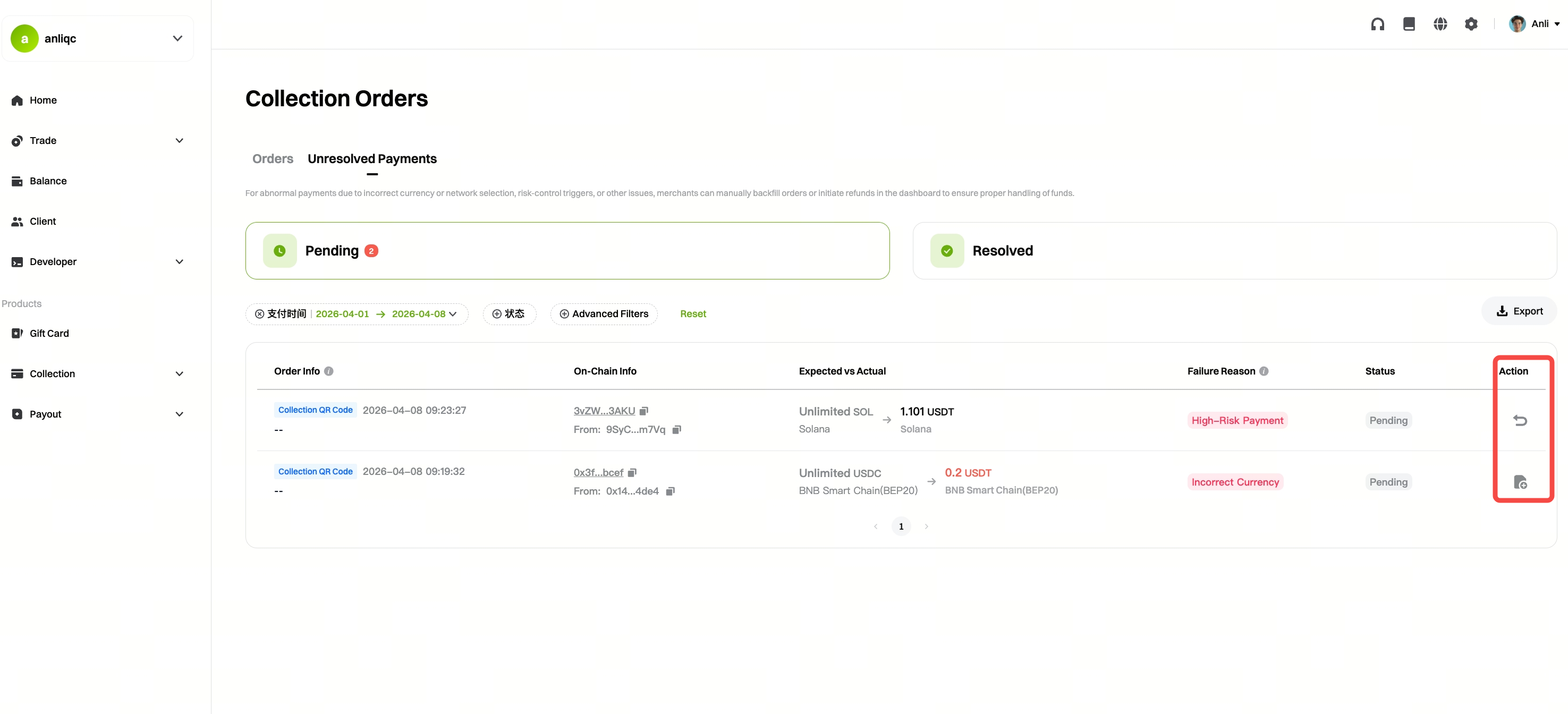
Step 2: Click “Action”
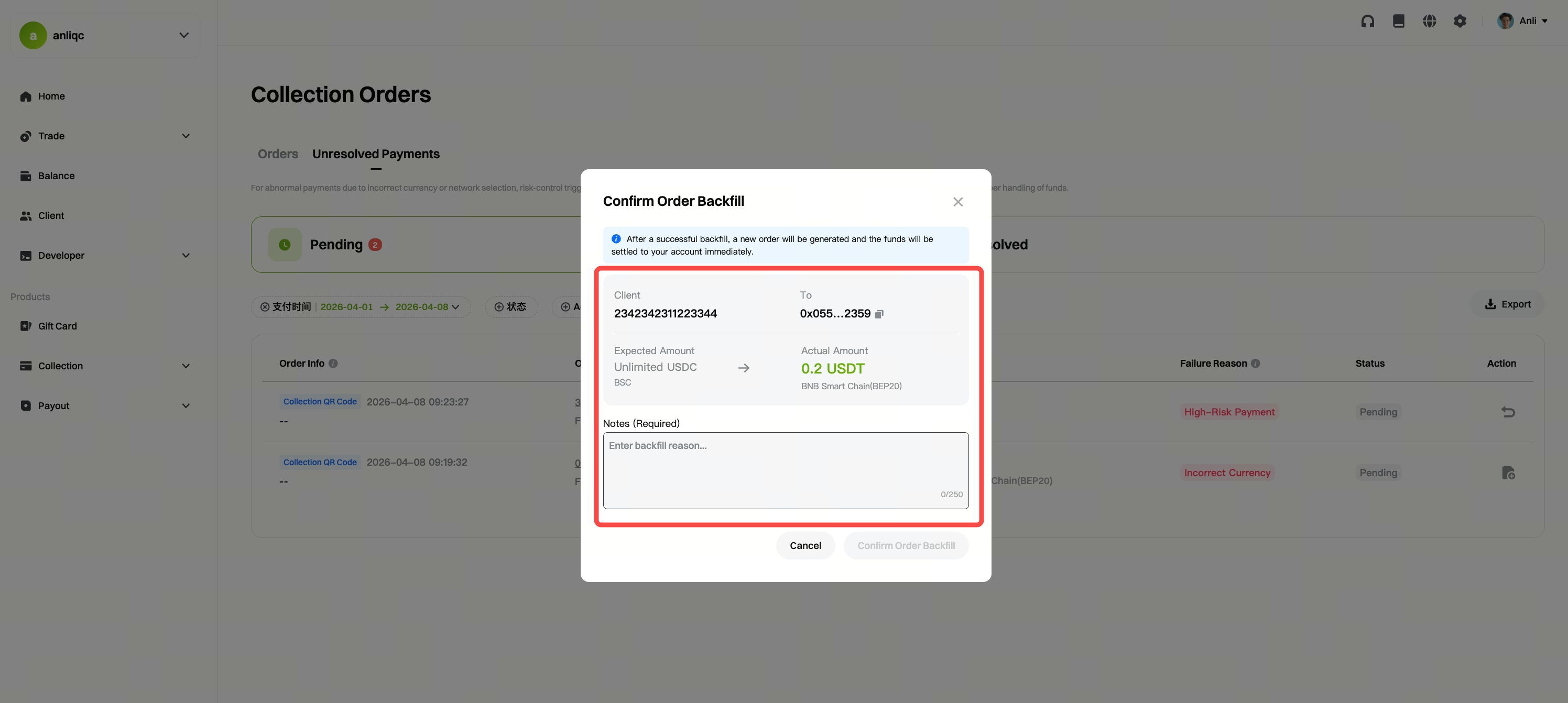
Order Reissue:
After verifying the order information and filling in the reason for the reissue, click “Confirm.”
Refund:
-
Refund to Original Route:
After verifying the refund information, click “Confirm.”
(Blocked orders are refunded to the original route by default.)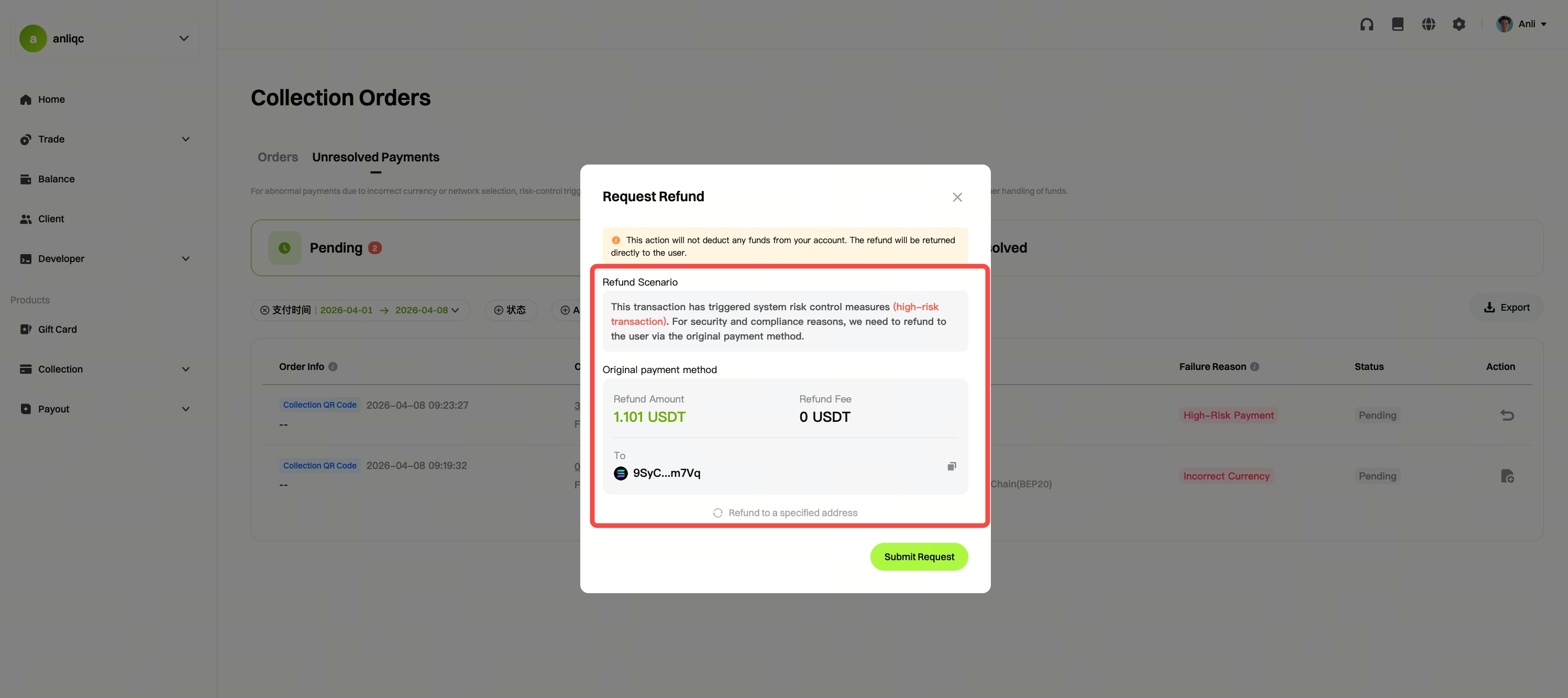
-
Refund to a Specified Address:
Enter the specified refund address, then click “Confirm.”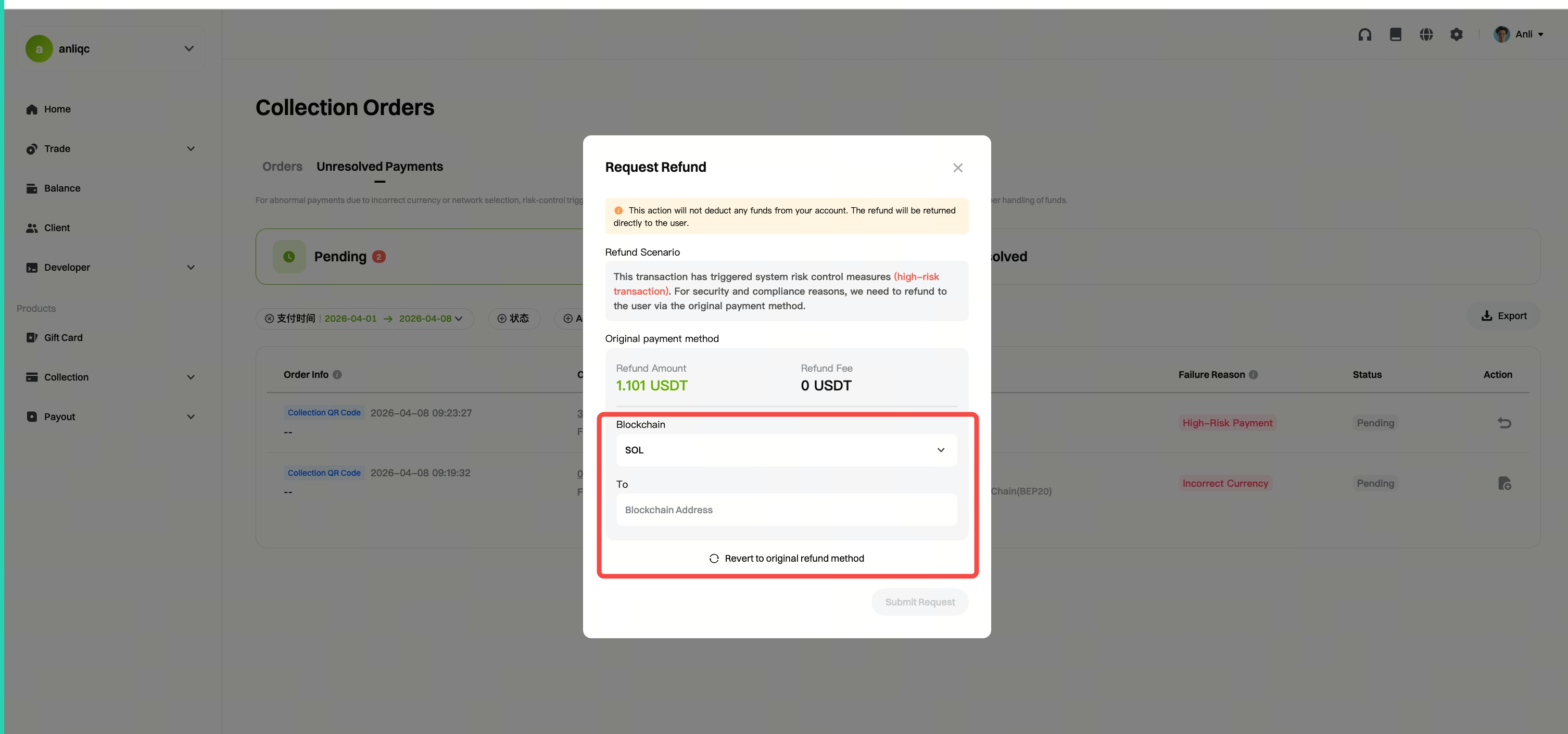
Disclaimer
The content provided herein is for reference and educational purposes only and does not constitute any financial, investment, trading, or legal advice, nor does it constitute an offer or solicitation to buy or sell any digital assets. Gate makes no express or implied representations or warranties regarding the accuracy, completeness, or timeliness of the information contained herein. Product features, interfaces, rules, and fee structures may be updated or adjusted at any time. Please refer to the latest announcements and the actual information displayed on the Gate platform for the most accurate details.
Digital asset investments involve significant risk, and prices may fluctuate substantially. You may lose the entire amount of your investment. Please make decisions cautiously based on your own financial situation and risk tolerance after fully understanding the associated risks. If necessary, you are advised to consult an independent professional financial or legal advisor.
For more information about potential risks, please refer to Gate's Risk Disclosure and User Agreement.
